Developers
Models
This version does not include a large language model, and it does not bill you. ESVORIQ 1.0 is in training. Public weights are not available yet. Until that model is in the software and in the model list, you still pick the service and get the key.
1 / 2
This version
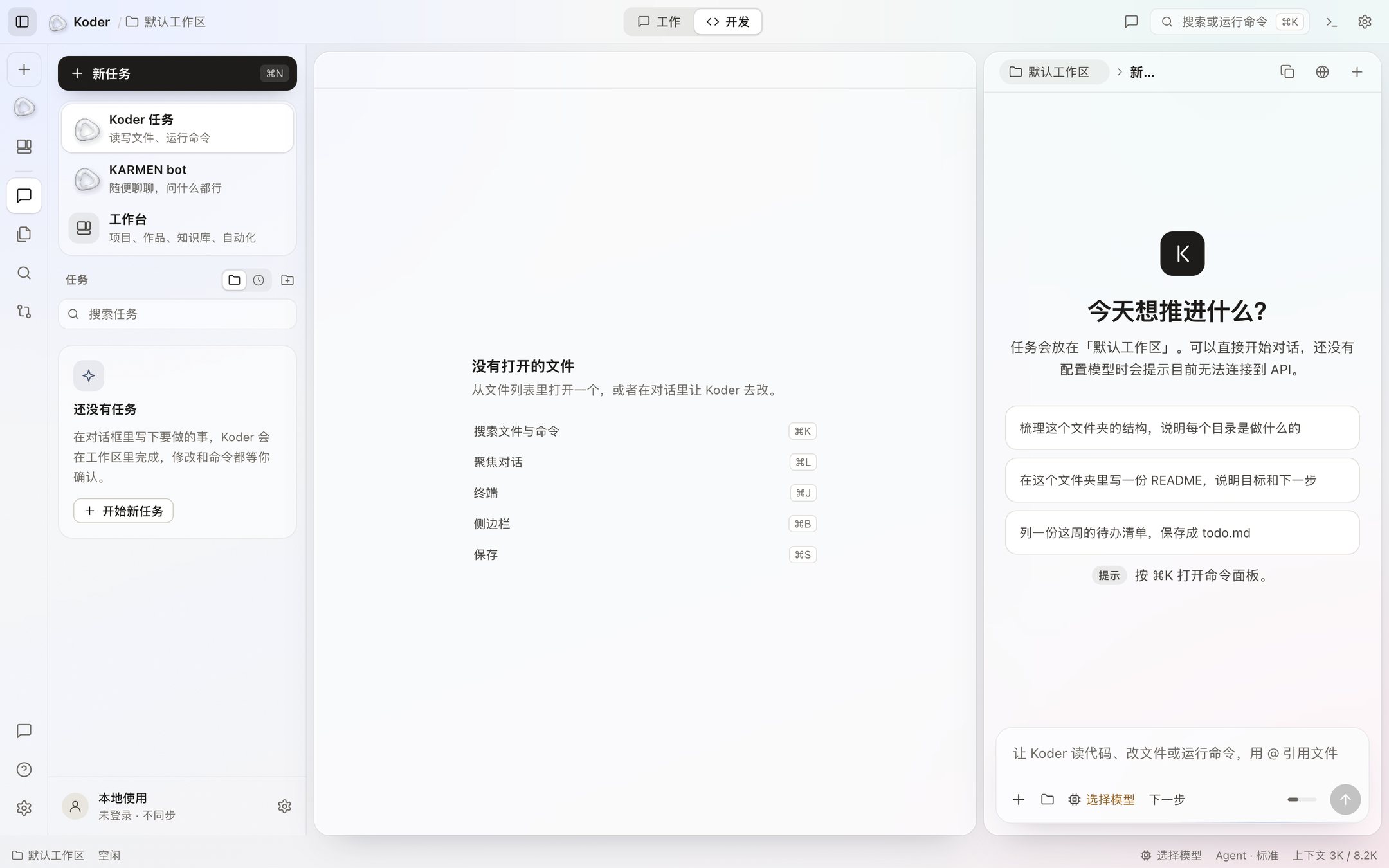
Settings → Models is the only place to do this. The first time you open Koder, it also walks you through connecting the first model.
Presets, and your own endpoint
Nearly thirty model services are preset, and each one says where to get a key. You can also connect a model that runs on your computer, or fill in a compatible endpoint. If a key cannot be read, Koder does not invent a model that looks usable.
The key stays on this computer
After you paste it, click Add model. The key is stored with AES-256-GCM. The key file used for that encryption can be read only by the current system user. The interface does not show any part of the key again. Koder does not read model keys from environment variables or from a .env file. It is not in the system keychain yet.
Strength, and the hourglass
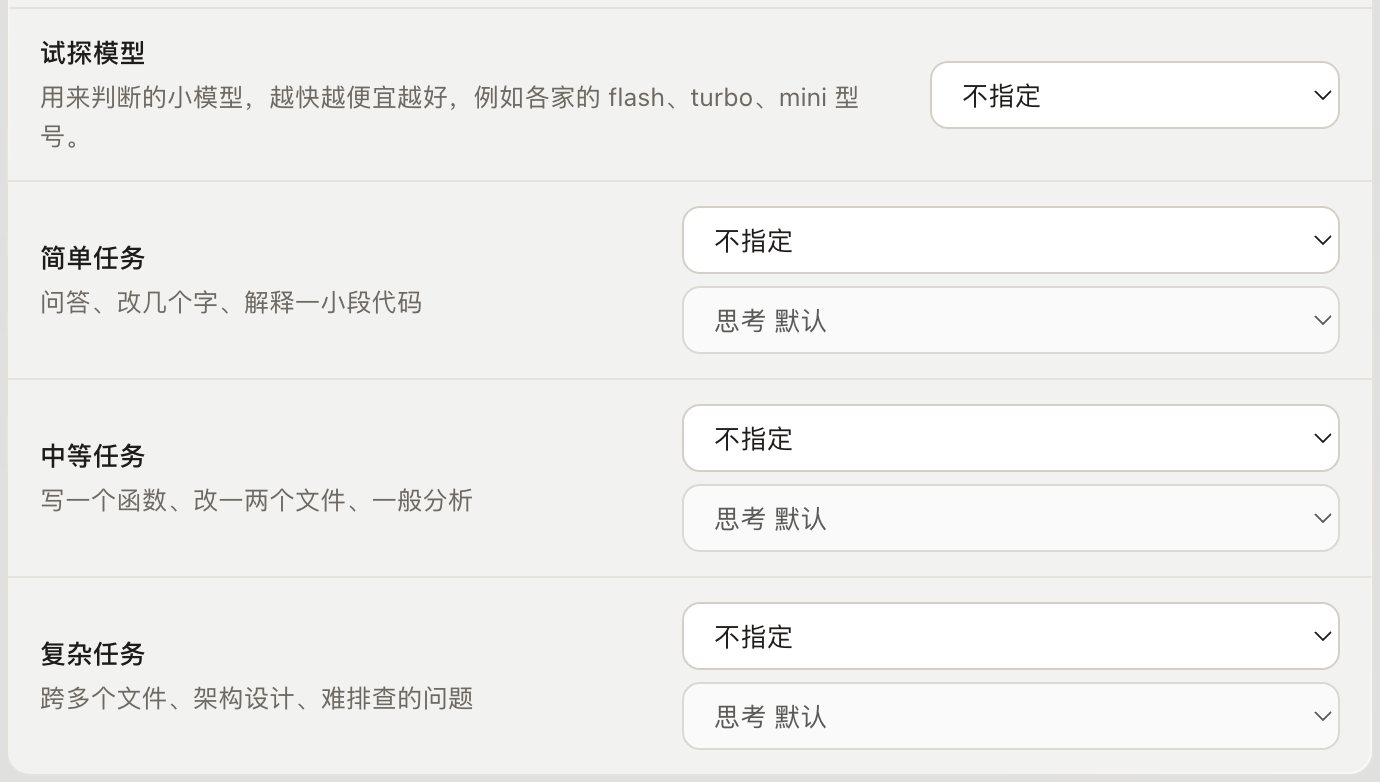
This version has no Lite, Pro, Max, or Ultra strength buttons next to the input. Thinking levels live in the hourglass, and each level can be Default, Low, Medium, or High. The hourglass is off by default. When you turn it on, a new task first uses a faster model to judge the difficulty, then the model you set for small, medium, or large, and the top of the task says why.
The live model list
After you add a key, you can read the provider’s model list at that moment. You can also point it at a different endpoint, or add a model that is not on the list. If the read fails, an empty list is not treated as “this provider has no models.”
The public API does not forward a model
The public API does not offer model calls, and it does not send a chat to a model service for you. When you send a message in Koder, the content goes straight from your computer to the provider you chose.
The bill is on the provider’s side
Settings → Usage and cost only shows the token count and an estimate recorded on this computer. The estimate is not a bill. What you pay is what your provider says.
The connection steps are in the tutorial.
Official model
ESVORIQ 1.0 is in training, with a focus on KARMEN CLI, the Koder kernel and autonomous learning. Public weights and a hosted API are not available yet.
- Until then, Settings only lists services you added yourself.
- When it ships, the release notes will say so, and the app will tell you.
- A service you already connected won’t be replaced.
Connect your first model
Open Settings → Models, pick a provider, enter the API key, and click Add model. Local models and other compatible endpoints are in the same list.
Keys and thinking strength
After that, the interface never shows any part of the key. The key is encrypted with AES-256-GCM, and the key file can be read only by the current system user. Koder does not read model keys from environment variables or a .env file, and it is not in the system keychain yet. Once it is saved, you can load the live model list or pick the latest. If loading fails, the list is not made up.
This version does not show Lite, Pro, Max, or Ultra strength buttons next to the input. To change thinking, set each hourglass level to Default, Low, Medium, or High. The hourglass is off by default. The numbers under Usage and cost are an estimate on this computer.
CLI model compatibility
CLI 0.4.0-preview.22 connects directly to task models through three native API protocols. The bundled catalog was checked on October 20, 2026. A text reply alone does not prove tool support. Run koder model test --tools with your own account, and koder model refresh to read its available model IDs. Stopped or incompatible task entries are excluded. Provider catalog and support boundaries.
Native CLI subscriptions, with the right billing route
Alibaba Token Plan (personal/team), Alibaba Coding Plan, and Volcano Coding Plan have separate entries. Ordinary API and subscription credentials are not interchangeable. A fallback never silently changes the billing endpoint. Native Koder is the default; the internal fallback is disabled and gray.
- Alibaba Token Plan:
https://token-plan.cn-beijing.maas.aliyuncs.com/compatible-mode/v1, with the key issued for that Token Plan. - Alibaba Coding Plan:
https://coding.dashscope.aliyuncs.com/v1, with its own Coding Plan key. It is a separate product. - Volcano Coding Plan:
https://ark.cn-beijing.volces.com/api/coding/v3. Useark-code-latestto follow the console selection.
Your console determines models and quota. Explicitly run koder model test --tools to check continuation; it calls the API and may cost money. Full setup guide.