Products
KARMENLOOP products
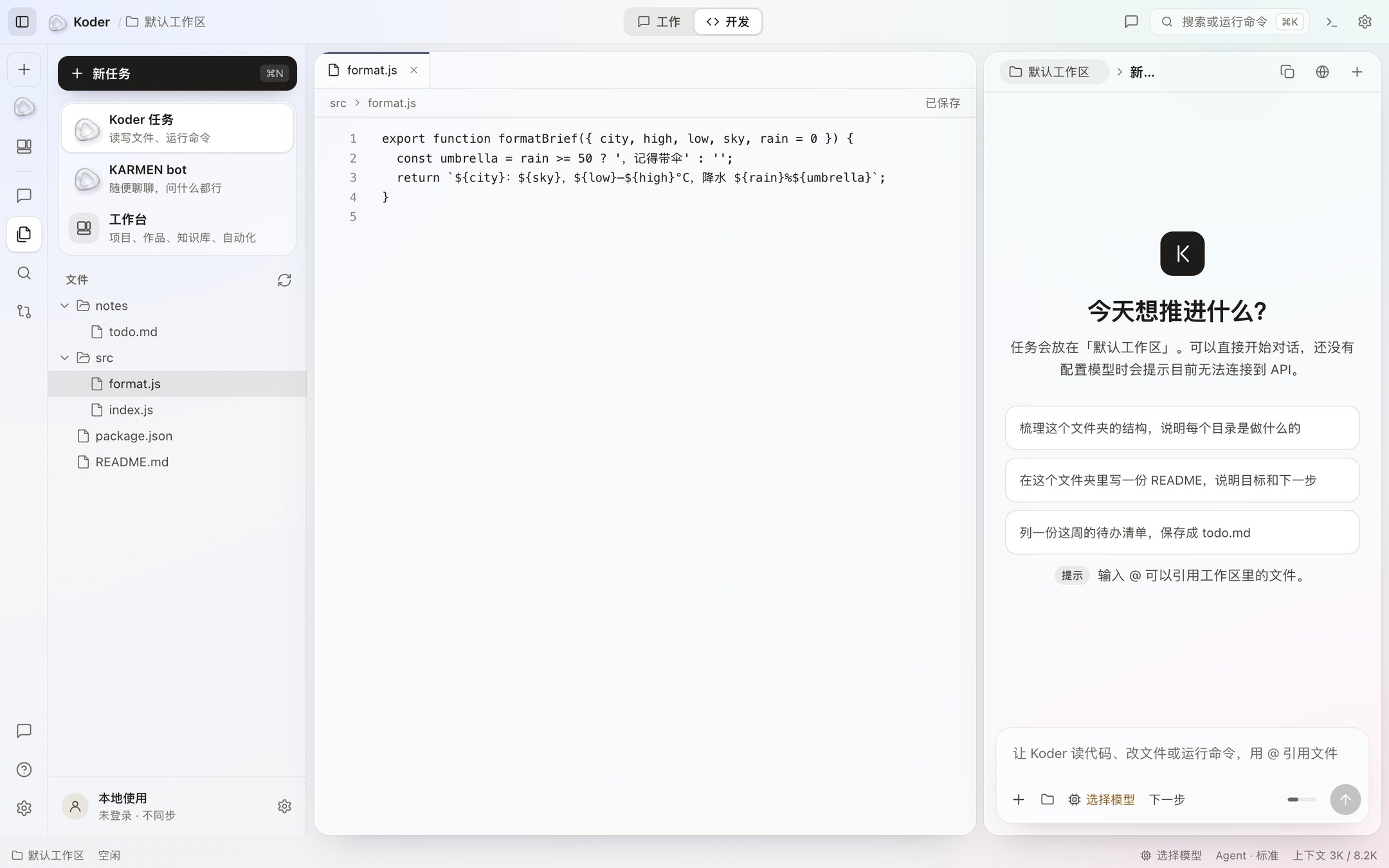
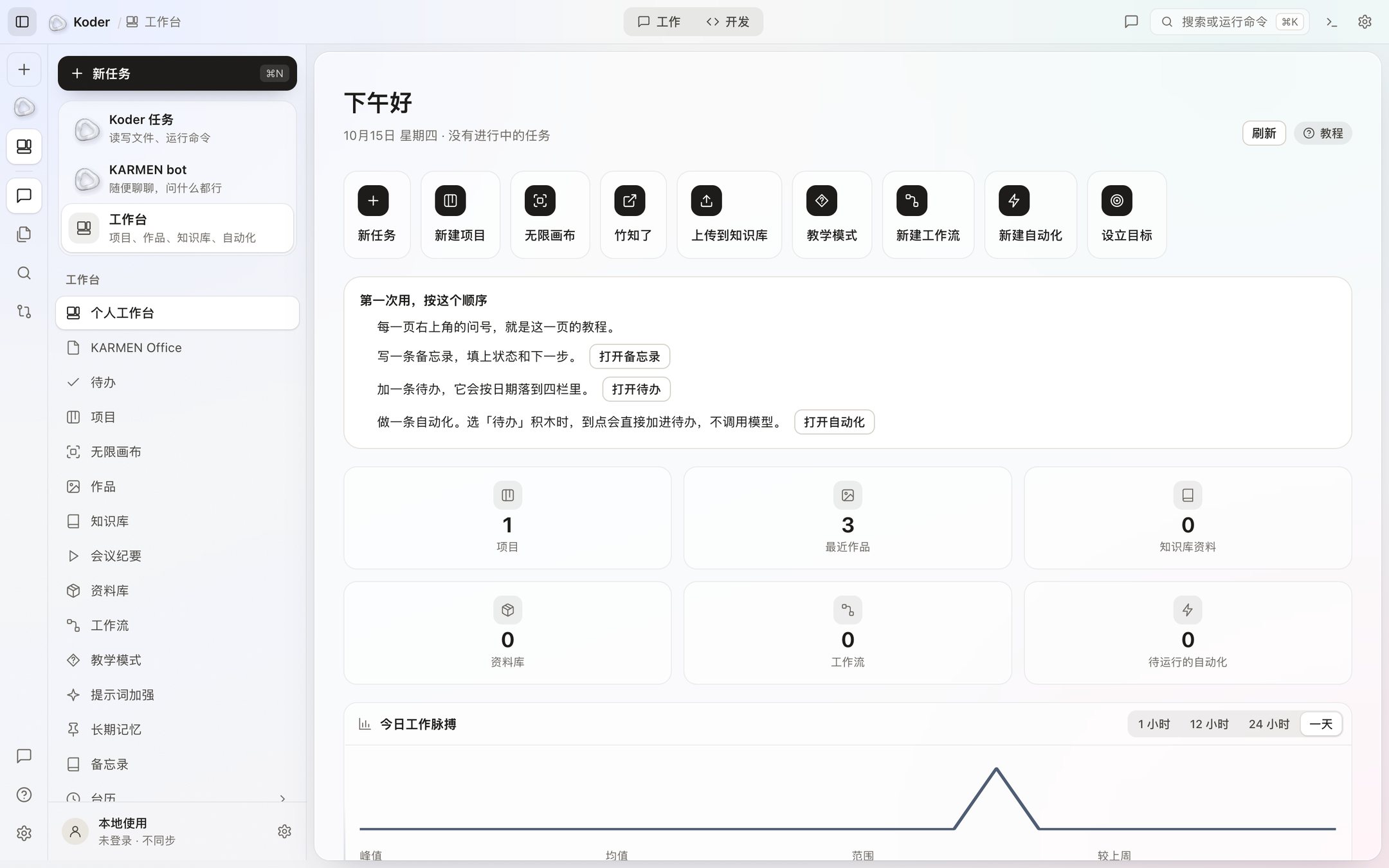
The IDE and the terminal in the window are in the desktop installer. The CLI and the TUI are each one command. The install steps are in the project repository. KARMENBOT has its own task-execution product site with release, installation and usage information. Working with other people is being finished and will open soon. ESVORIQ 1.0 is in training and is not publicly available yet. This version still uses a model you connect yourself, and there is no phone installer.
1 / 3
ESVORIQ 1.0
A local task model project in training. Approximately 8B total parameters; public weights and a hosted API are not available yet.
Koder IDE
The editor, file tree, chat, and workbench are in the window you download. You configure the model in this version. It waits before changing a file.
Koder CLI
The koder command in your terminal. One command in a terminal installs it, with no invite code. Smart approval handles ordinary edits and low-risk commands; sensitive actions still need permission.
Koder TUI
A full-screen terminal interface. A file change shows the diff first. Press y to accept, or n or Esc to turn it down. Commands ask first. One command in a terminal installs it.
KARMENBOT
Open the dedicated product site for releases, installation and guides. The mobile app is not available; the Koder chat and the independent release have separate capabilities.
Desktop download
Mac is Apple silicon. The other file is a 64-bit installer. Both are beta, and both need an invite code. There is no Intel build.
Working with other people
This is being finished and will open soon. Until it does, collaboration stays on this computer.
Teaching
There is no separate teaching edition. The workbench has a teaching mode.
Release notes
The current version, what you can download, and what Check for updates shows in the app.
Now, and later
If it is not written as available, you cannot treat it as a finished feature.
In this version
Desktop Koder can be downloaded. On your computer it changes files, runs commands, and uses the workbench. You connect the model. The download needs an invite code. The phone app is not available.
In progress, not open yet
Working with other people is being finished and will open soon. ESVORIQ 1.0 is in training and is not publicly available yet. Until it is published, Settings will not show a model of ours. The phone side of KARMEN BOT is still in development. Account sign-in is not available.
What the three spaces are
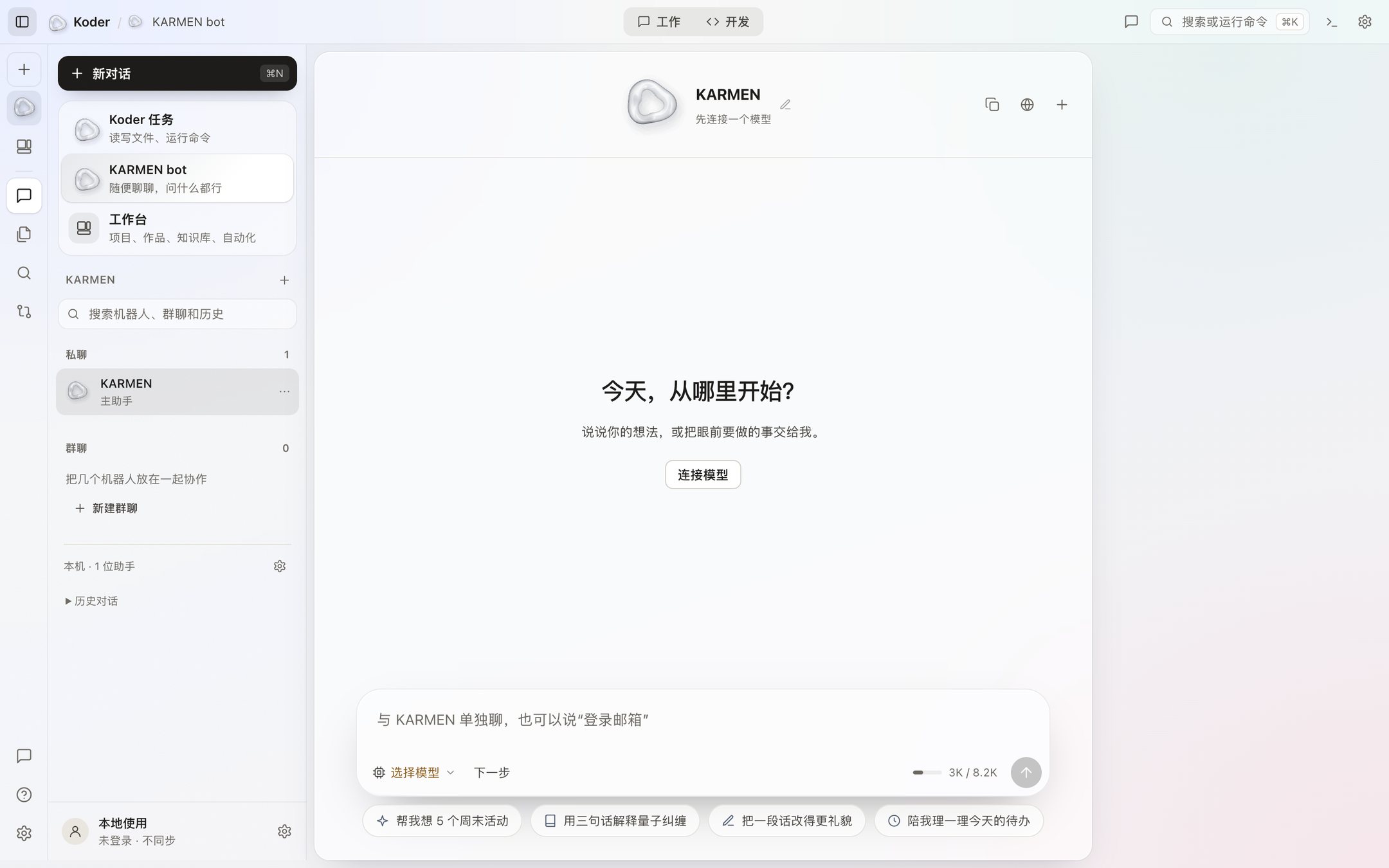
The task window works in the folder you name. A file change shows up as a diff first, and a command asks again by default. The workbench is for projects, work, the knowledge base, workflows, and automations that sit outside that folder and still stay on this computer. KARMEN bot is another space in the same app. Right now it only chats, and the sidebar says it will not read or write files.
The KARMEN BOT phone app is not available for download. Working with other people will open soon. ESVORIQ 1.0 is in training and is not publicly available yet.
KARMEN OS · In development
A desktop project exploring an application launcher, glass Dock and settings. Current work prioritizes the Mac experience. No public installer is available; Windows and Linux availability has not been established.