Use
What you can do now
Everything below is in the desktop app you can download. There is no second product split by industry. An official model is not published yet, so these use the model you connected.
1 / 2
Coding
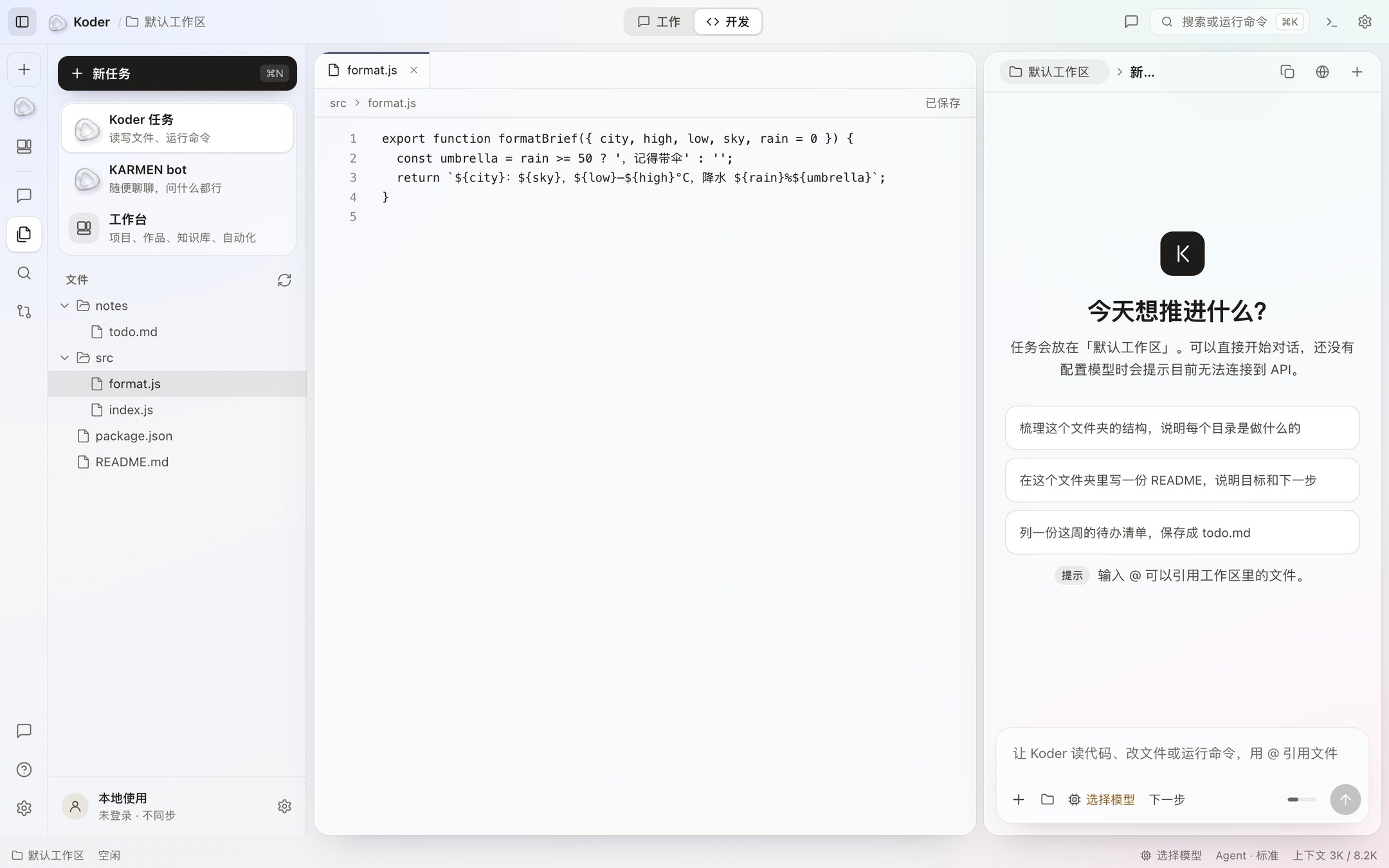
- Start a task and name a folder. AI can read and write files only in that folder.
- Use @ to point at a file. When a file needs to change, you see the before and after first. It is written only when you click Accept.
- When a command needs to run, you see the full command by default. Deletes, privilege changes, and key files always ask, no matter the setting.
- The review panel on the right keeps the files changed and the commands run in this turn. In the dev view the editor is in the middle, the chat is beside it, and the terminal is at the bottom.
Approvals and commands describes the three modes: Careful, Balanced, and Automatic. The default is to ask first.
Office work
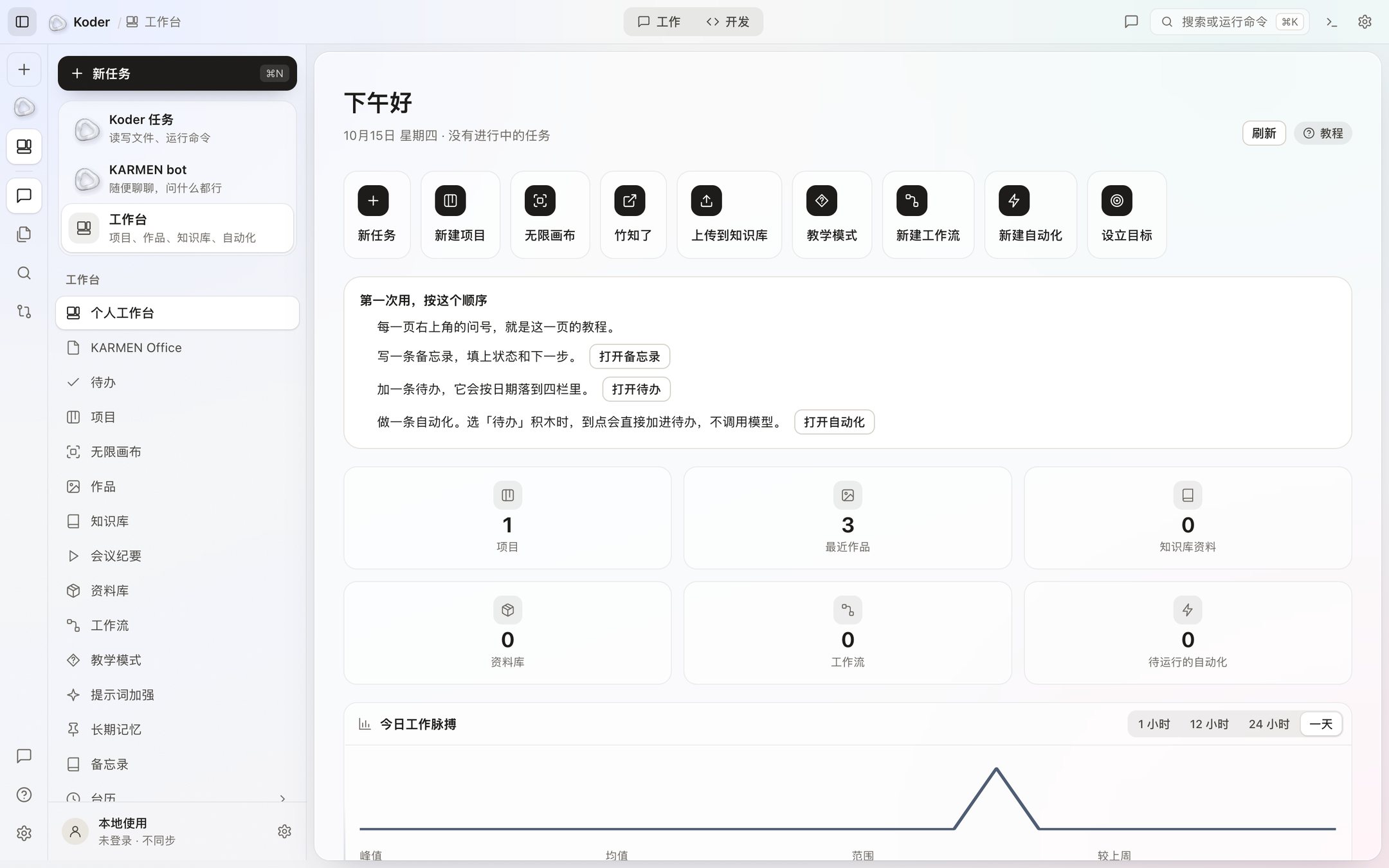
The workbench sits next to tasks and KARMEN bot. The content lives in the Koder data folder on your computer.
Projects
A project is a folder, with a board of To do, In progress, and Done. Hand a card to AI and a task opens in that folder.
Reference
The knowledge base takes text, Markdown, web pages, Word, and PDF. The index is on this computer, and it searches only the libraries you turned on. The library holds files and links until you put them in the knowledge base or a project.
On a schedule
A workflow connects prompts into steps, and you can add an If branch. An automation runs every day, every week, every few hours, or once. It runs only while Koder is open.
Computer use and task execution
- Computer use is off by default. After you turn it on, it can screenshot, click, type, and switch apps. Every action asks by default. The emergency stop is ⌃⌥⌘. .
- KARMEN bot inside the desktop app only chats. It does not use tools, and it cannot read or write files or run commands. The phone app is not available for download.
- Working with other people will open soon. Until it does, all of this happens on your own computer.
How the window is arranged is on the window.
Which window is for which job
To change code or a document, use a task. You name the folder, and Koder reads and writes only inside it. A change shows up first on a diff card. A command shows up first on a command card. The review column keeps the files touched in this turn and the commands waiting for Allow. While it is running you can send another line: queue it, or send it now.
To manage projects, reference material, and repeated flows, use the workbench. The board has three columns: To do, In progress, and Done. Work lists images, web pages, documents, and audio or video. The knowledge base searches only the libraries you turned on. The workflow canvas has an If branch. An automation runs on time only while Koder is open. None of that needs a second installer.