Latest: Mac 0.4.53, Windows 0.4.54
Security patch level 2026-10-14
Updates
This address stays the same, and it always shows the latest version of Koder.
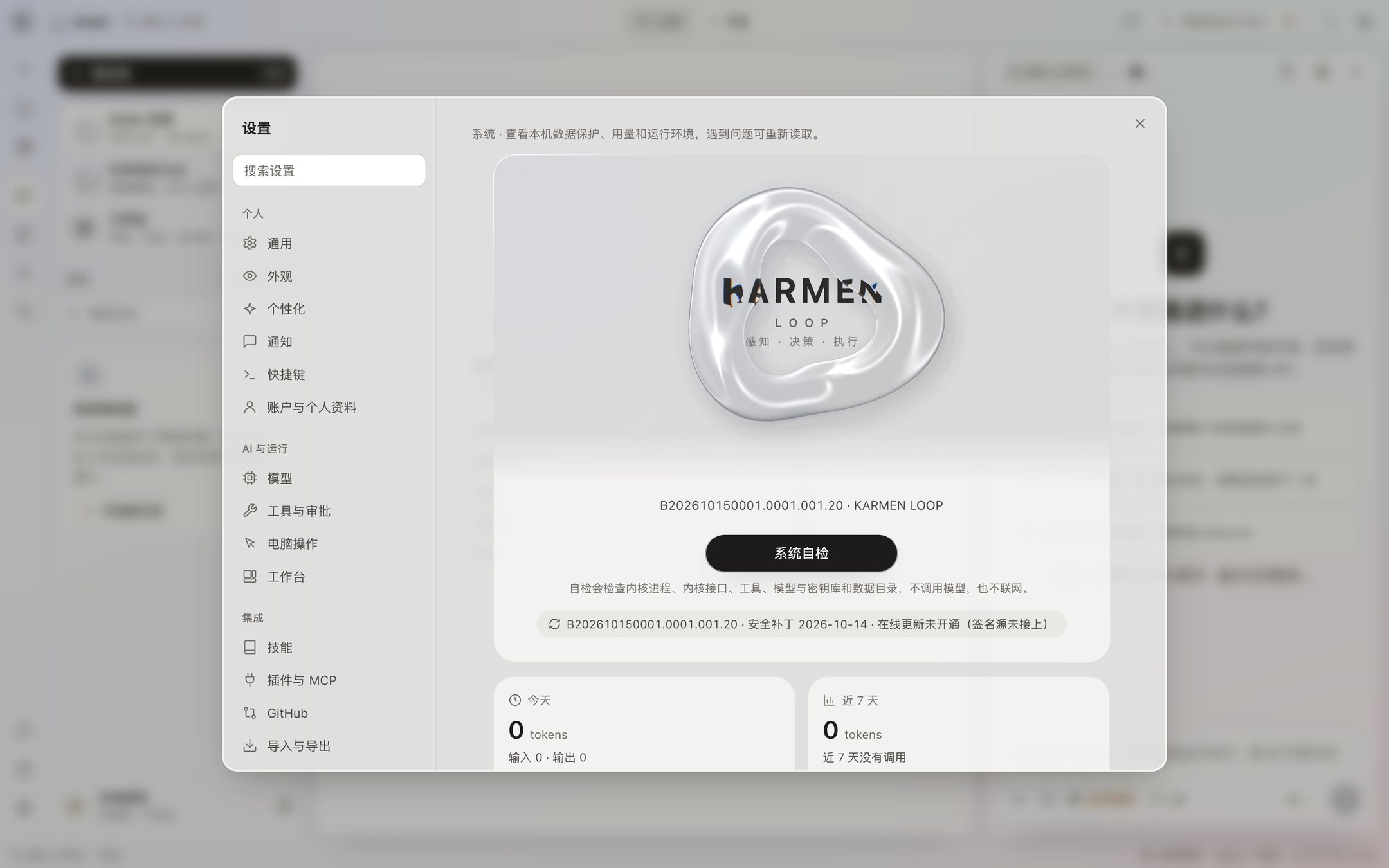
Security patch level 2026-10-14
The Koder 0.4.53 installer does not include an update address. Check for updates in the app says the update address is not online yet. Download a new version from this page. The SHA-256 and the first-open steps are on the download page.
A version that has an update address written into it can update, inside the app, to the latest version published on this site.
An online update replaces Koder’s program files. A change to the app itself still means downloading a new installer from this page.
| Version | Security patch level | How to get it |
|---|---|---|
| 0.4.54 | 2026-10-14 | Download here · Windows · 64-bit · 2026-10-22 |
| 0.4.53 | 2026-10-14 | Download here · Mac (Apple silicon) · 2026-10-22 |
| 0.4.53 | 2026-10-14 | Not offered · Windows · 64-bit · 2026-10-22 |
| 0.4.49 | 2026-10-14 | Not offered · Mac (Apple silicon) · 2026-10-19 |
| 0.4.48 | 2026-10-14 | Not offered · Mac (Apple silicon) · 2026-10-18 |
| 0.4.47 | 2026-10-14 | Not offered · Mac (Apple silicon) · 2026-10-17 |
| 0.4.46 | 2026-10-14 | Not offered · Mac (Apple silicon) · 2026-10-16 |
| 0.4.46 | 2026-10-14 | Not offered · Windows · 64-bit · 2026-10-16 |
| 0.4.45 | 2026-10-14 | Not offered · Mac (Apple silicon) · 2026-10-15 |
| 0.4.45 | 2026-10-14 | Not offered · Windows · 64-bit · 2026-10-15 |
| 0.4.42 | 2026-10-14 | Not offered · Mac (Apple silicon) · 2026-10-15 |
| 0.4.42 | 2026-10-14 | Not offered · Windows · 64-bit · 2026-10-15 |
| 0.4.35 | 2026-10-14 | Not offered · Mac (Apple silicon) · 2026-10-15 |
| 0.4.35 | 2026-10-14 | Not offered · Windows · 64-bit · 2026-10-15 |
| 0.4.25 | 2026-10-14 | Not offered · Mac (Apple silicon) · 2026-10-15 |
| 0.4.25 | 2026-10-14 | Not offered · Windows · 64-bit · 2026-10-15 |
| 0.4.24 | 2026-10-14 | Not offered · Mac (Apple silicon) · 2026-10-15 |
| 0.4.24 | 2026-10-14 | Not offered · Windows · 64-bit · 2026-10-15 |
| 0.4.23 | 2026-10-14 | Not offered · Mac (Apple silicon) · 2026-10-15 |
| 0.4.23 | 2026-10-14 | Not offered · Windows · 64-bit · 2026-10-15 |
| 0.4.22 | 2026-10-14 | Not offered · Mac (Apple silicon) · 2026-10-15 |
| 0.4.22 | 2026-10-14 | Not offered · Windows · 64-bit · 2026-10-15 |
| 0.4.21 | 2026-10-14 | Not offered · Mac (Apple silicon) · 2026-10-15 |
| 0.4.20 | 2026-10-14 | Not offered · Mac (Apple silicon) · 2026-10-15 |
| 0.4.20 | 2026-10-14 | Not offered · Windows · 64-bit · 2026-10-15 |
| 0.4.19 | 2026-10-14 | Not offered · Mac (Apple silicon) · 2026-10-15 |
| 0.4.19 | 2026-10-14 | Not offered · Windows · 64-bit · 2026-10-15 |
| 0.4.6 | 2026-10-14 | Not offered · Mac (Apple silicon) · 2026-10-14 |
| 0.4.6 | 2026-10-14 | Not offered · Windows · 64-bit · 2026-10-14 |
| 0.4.5 | 2026-10-14 | Not offered · Mac (Apple silicon) · 2026-10-14 |
| 0.4.5 | 2026-10-14 | Not offered · Windows · 64-bit · 2026-10-14 |
| 0.4.3 | 2026-10-12 | Not offered · Windows · 64-bit · 2026-10-14 |
| 0.4.2 | 2026-10-12 | Not offered · Mac (Apple silicon) · 2026-10-14 |
| 0.4.1-beta.NC | 2026-10-12 | Not offered · Mac (Apple silicon) · 2026-10-13 |
| 0.4.1-beta.NC | 2026-10-12 | Not offered · Windows · 64-bit · 2026-10-13 |
| 0.3.20 | 2026-10-12 | Not offered · Windows · 64-bit · 2026-10-13 |
| 0.3.19 | 2026-10-12 | Not offered · Windows · 64-bit · 2026-10-13 |
| 0.3.18 | 2026-10-12 | Not offered · Windows · 64-bit · 2026-10-12 |
| 0.3.17 | 2026-10-12 | Not offered · Windows 11 · 64-bit · 2026-10-12 |
| 0.3.17 | 2026-10-12 | Not offered · Windows 11 · NVIDIA · 2026-10-12 |
| 0.3.17 | 2026-10-12 | Not offered · Windows 11 · AMD · 2026-10-12 |
| 0.3.17 | 2026-10-12 | Not offered · Windows 11 · 32-bit · 2026-10-12 |
| 0.3.17 | 2026-10-12 | Not offered · Windows 10 · 64-bit · 2026-10-12 |
| 0.3.17 | 2026-10-12 | Not offered · Windows 10 · 32-bit · 2026-10-12 |
| 0.3.17 | 2026-10-12 | Not offered · Windows 10 / 11 · compatibility package · 2026-10-12 |
| 0.3.11 | 2026-10-11 | Not offered · Mac (Apple silicon) · 2026-10-12 |
Security patches are published separately on Security patches.
Each note matches an installer that is already on the download page. Settings → System shows the same version and the same security patch level. Because the update address is not online yet, a Koder you already installed does not become the next version on its own. To change versions, go back to the download page, check the SHA-256, and then install.
Approval settings and model settings are written on your computer. Replacing the installer does not upload them. Keys stay on this computer. ESVORIQ 1.0 is in training and is not publicly available yet. Until it is in the release notes and in the model list, an update record does not count it as something you can already choose.
This release includes the personal-agent-growth 0.3.2 autonomous learning method. Relevant tasks can read its targeted study, verification, reflection and recovery steps. Use koder growth status to inspect the version, koder growth show to read it offline, or koder growth off / on for later sessions. It does not enable profile learning, background API calls or additional execution permissions.
This release fixes Windows MCP readiness-file replacement and failed-host cleanup, improves MiniMax endpoint handling and error categories, and adds automatic updates while an interactive chat is idle. Active work, queued input and drafts come first. The verified replacement resumes the conversation. Disable it with koder update auto off. All eight bilingual manuals match this package.
MiMo Token Plan, Kimi API, Kimi Code, DeepSeek, Alibaba Token Plan, Volcano Coding Plan and Volcano Ark API remain gray and temporarily unavailable. Other services still require a valid account, matching product key and quota; protocol tests are not live-account guarantees. The optional reference library remains available on demand.
From preview.16, run koder update once. Older copies that report a changed license need the ordinary installation steps and explicit acceptance. Settings and memory are retained. See the GitHub release and checksums and all 30 lessons. CLI releases and desktop installer availability are tracked separately.
October 22, 2026: ESVORIQ is now listed as KARMENLOOP’s model project. The KARMENLOOP team is developing the model for task understanding, tool execution and continual learning. Version 1.0 is in training and evaluation; availability updates will be published on the website. Model details and availability.