Security
Safeguards
These are things the current desktop app already does. The full wording is in Security.
1 / 2
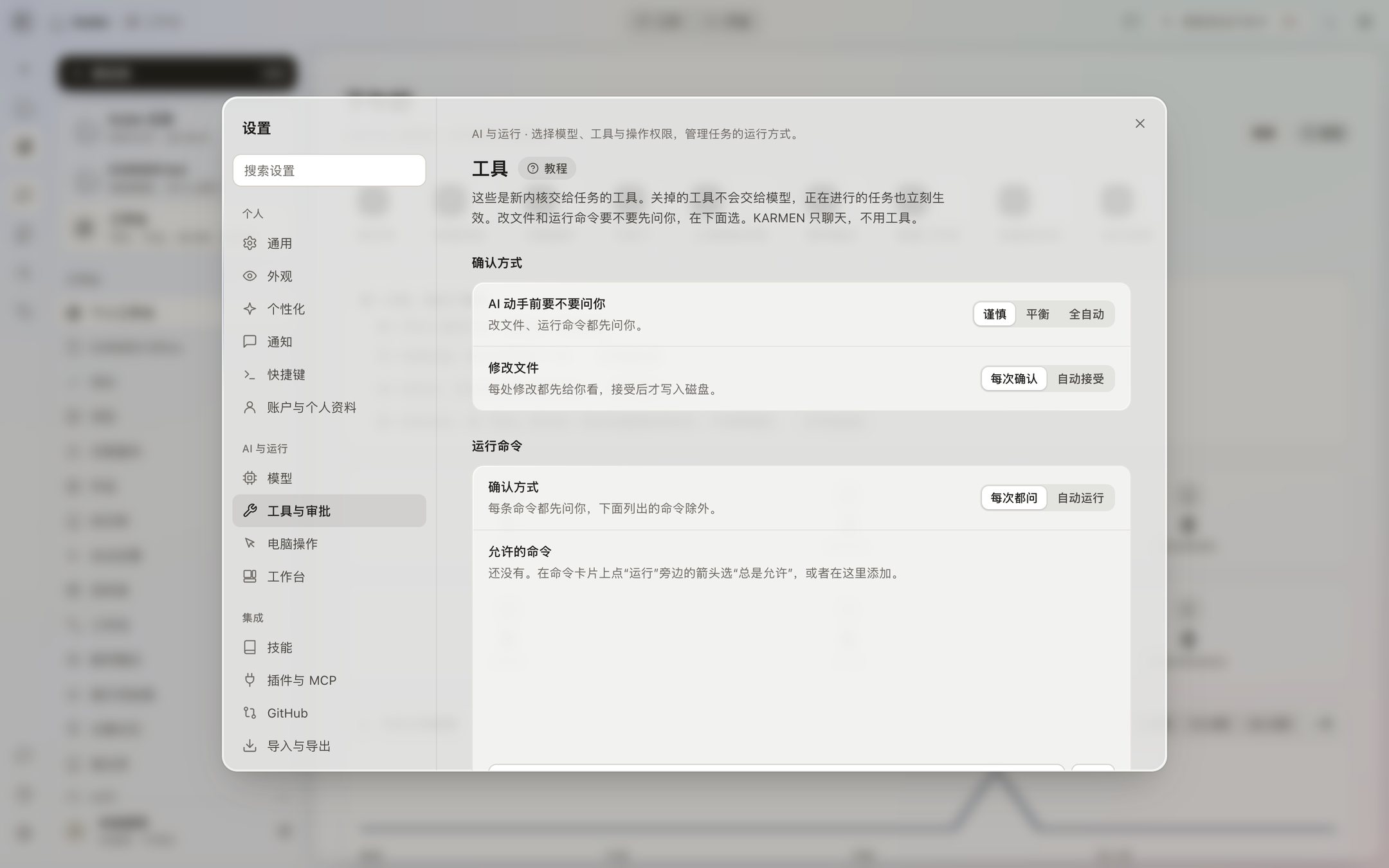
Confirm before it changes anything
Before it writes or edits a file, it shows the diff. It writes only when you click Accept. A command shows the full text and asks, by default. Deletes, privilege changes, disk operations, shutdown and restart, force-push and rewriting git history, and .env and key files always ask, no matter the setting. A confirmation waits at most 30 minutes. After that it counts as a no.
It listens only on this computer
The interface listens only on 127.0.0.1, and it refuses requests that come from other websites. The kernel generates a new token every time it starts. The token file can be read only by the current system user. Without the token, nothing can call the kernel.
Keys stay on this computer
Model keys are stored with AES-256-GCM. The key file used for that encryption can be read only by the current user. The interface does not show any part of a key. Koder does not read model keys from environment variables or from a .env file. It is not in the macOS Keychain or Windows Credential Manager yet.
The work has a boundary
Each task works only in the folder you name. You can switch it to Ask or Plan, which are read-only. You can also turn a tool off on the Tools page. That takes effect immediately. KARMEN bot only chats. It does not use tools.
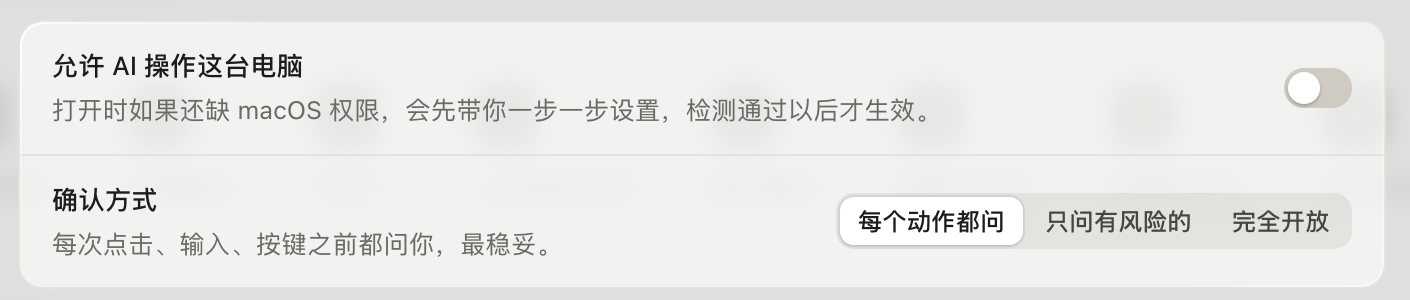
Computer use is off by default
It can screenshot, click, and type only after you turn it on. Every action asks by default. There is a Stop button at the top of the screen, and ⌃⌥⌘. stops it immediately. Screenshots go only to the model service you chose.
Web pages do not reach your local network
When it fetches a page, only public http and https are allowed. Local and private-network addresses are refused. A model endpoint cannot include a username or a password.
The installer itself is not code-signed. That is a separate point, on install safety. Approvals are not loosened because the installer is unsigned.
What each of the three modes lets through
Careful: file changes ask, and commands ask. Balanced: writes inside the task folder go straight to disk, and commands still ask. Automatic: both run on their own. None of the three automatically lets through deletes, privilege changes, disk operations, shutdown and restart, force-push, rewriting history, handing text to a shell, or .env and key files.
If a model asks to switch work modes, it asks you first. If you do not answer a choice card in 60 seconds, it continues on its own judgment, and you can still add an answer later. These rules are written on this computer. The public API does not change them.